Configure Net2 software
The AVUTEC ANPR camera reads a license plate of a car and hashes it to a 26-bit Wiegand signal.
Configuration for ANPR of Paxton Net2 software is similar as the configuration of a access card.
Add a user
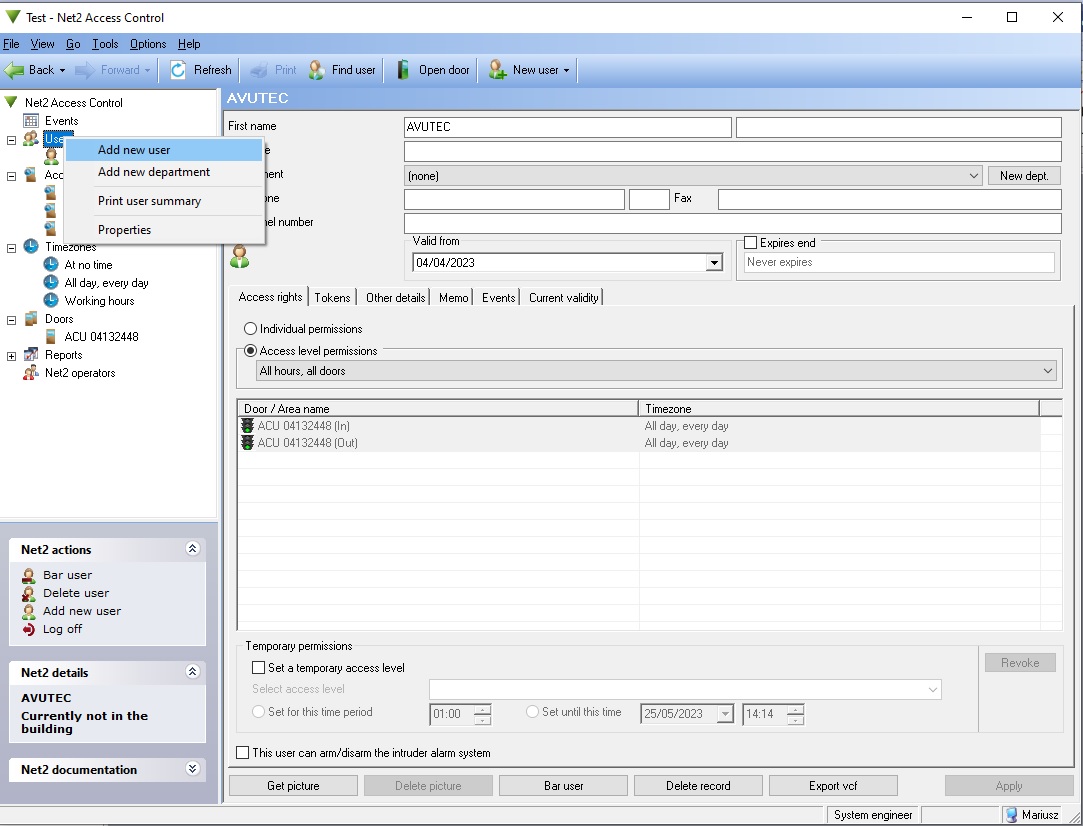
Open Paxton Net2. In the menu on the left, right click “User” and select “Add new user”.
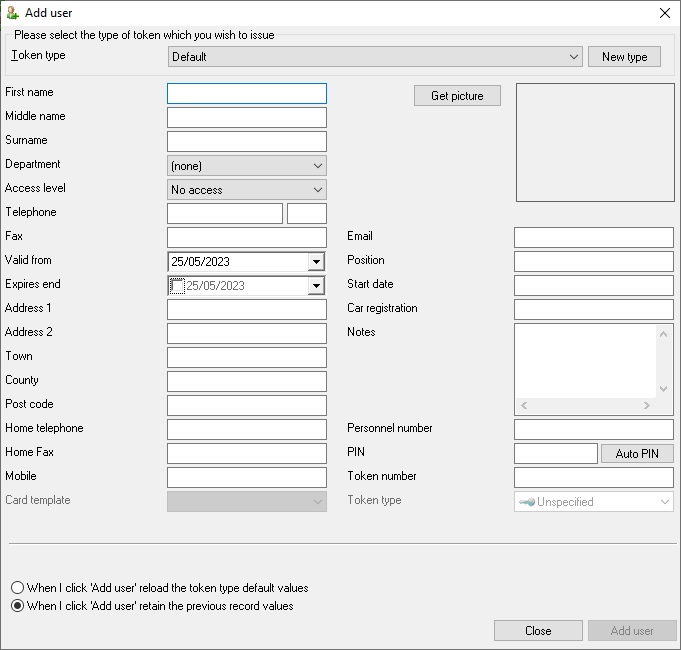
The pop-up window will show up, where all details can be filled in per user. Fill in a test user to be able to perform a field test later.
The pop up
Add a token
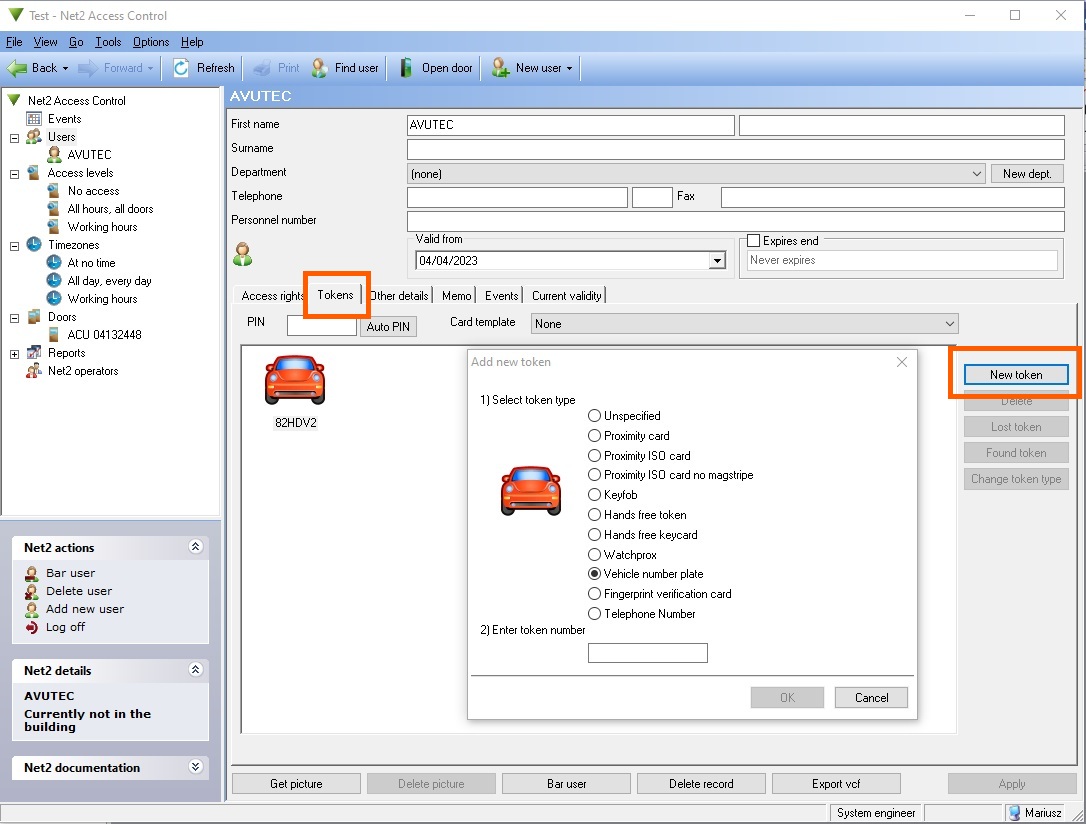
Click on the tab “token”. Then click “add token”. The pop-up window will show up, where the corresponding test license plate can be added.
Configure the door
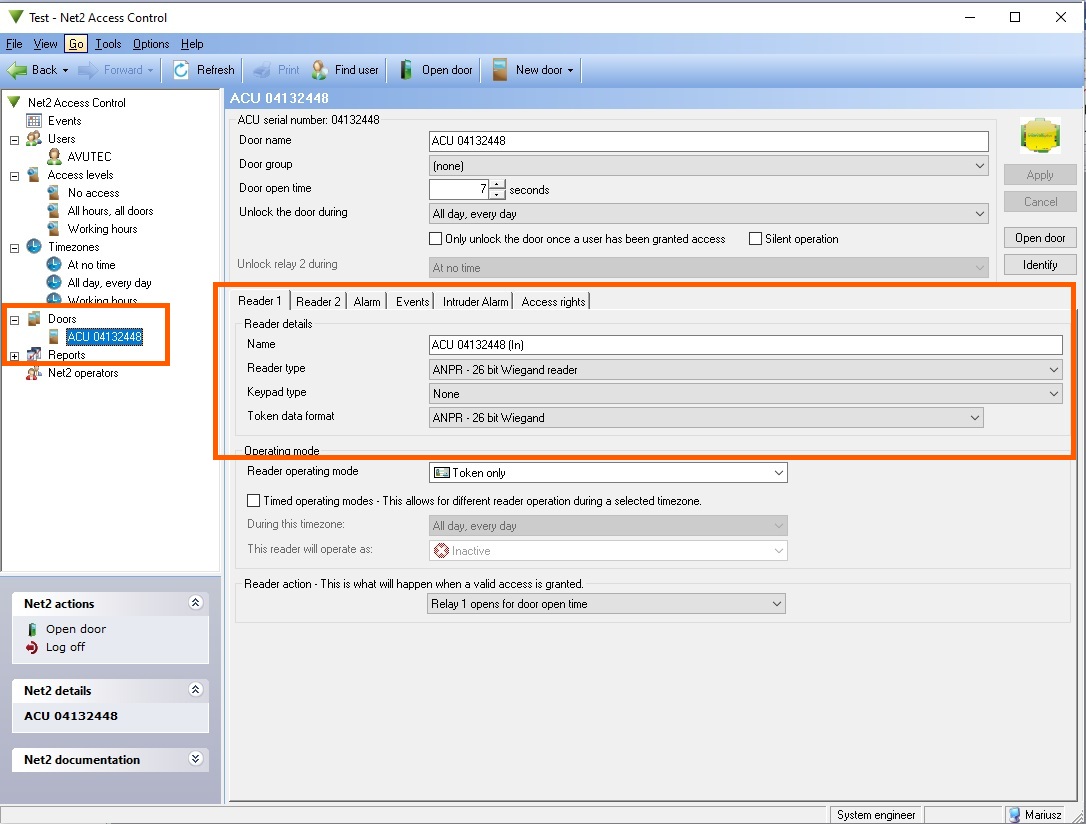
Choose “Doors” in the menu and pick the door to configure.
Then click the tab “reader 1”.
Set “Reader type” to “ANPR - 26 bits Wiegand format”.